guides
Golf Simulator Projector vs TV: The $700 Mistake
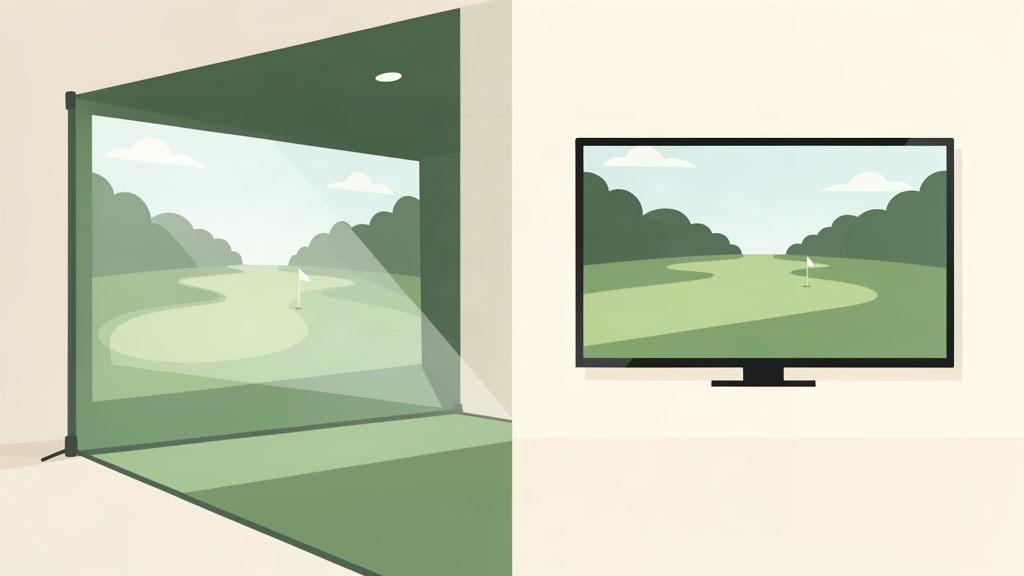
The golf simulator industry has a playbook. Step one: sell you a launch monitor. Step two: sell you an enclosure. Step three: sell you a projector and an impact screen. Nobody asks whether step three even makes sense for your garage.
I built my first simulator backwards. I bought a projector, mounted it, wired it, and aimed it at an impact screen before I ever asked whether a 65-inch TV and a hitting net would have done the same job for half the money. It would have. The projector was overkill for my 10-foot-wide garage, and the impact screen was a $400 dust collector that required more tension adjustments than my actual golf swing.
This is the decision framework the industry does not give you. Three display paths, three budgets. The space and light in your room decide which one actually works. I link to GTD’s existing projector guide, net guide, and mat guide where the product-by-product detail lives. This article is about the fork in the road before you commit.
The Three Paths at a Glance
| Path | Hardware | Total Cost | Best For |
|---|---|---|---|
| Projector + Screen | Short-throw projector, impact screen | $1,500–$4,000+ | Dedicated sim rooms, immersion, multi-player |
| TV + Net | 55–75-inch TV, hitting net | $500–$2,000 | Garage builds, daylight rooms, zero lag |
| 4K Monitor | Short-throw 4K monitor | $800–$3,000 | Compact spaces, desk-adjacent practice |
Path 1: Projector + Impact Screen ($1,500–$4,000+)
This is what you see on Instagram. A 10-foot impact screen, a short-throw projector mounted 5 feet from the screen, and a golf course filling the wall. The image is huge and bright. It also requires three things that half of home builders do not have: a dark room, at least 12 feet of depth, and a permanent setup.
The projector is the heart of this path. The Optoma GT1080HDR at $899 is the entry point. It pumps 3,800 lumens at 1080p. Bright enough for a garage with some ambient light, cheap enough that you are not crying when the lamp needs replacing in 3 years. The Optoma GT2000HDR at $1,199 upgrades you to a laser light source that runs 30,000 hours maintenance-free. For 4K, the BenQ TK710STi at $2,199 is the reference pick.
The impact screen adds $300 to $800 on top of the projector. Then you need an enclosure or mounting solution. Then you need blackout curtains if your room has windows. The $1,500 minimum is real, but so is the $4,000 ceiling when you start adding a $700 impact screen and a proper enclosure.
Immersion is the reason to choose this path. If you host foursomes in your sim room, a projector is not optional. Nobody wants to huddle around a 65-inch TV. The projector gives you a 10-foot-wide image that fills your peripheral vision, and that changes the experience from “I am hitting balls into a net while looking at a screen” to “I am playing golf indoors.”
Space is the reason not to. You need 5 feet from projector lens to screen. You need the projector mounted above and behind your swing path. If your room is less than 12 feet deep, you are physically out of room. If you have windows and cannot control the light, the image washes out. If your ceiling is low, you cannot mount the projector high enough to clear your driver swing.
Verdict: Choose this if you have a dedicated room with light control and 12-plus feet of depth. The immersion is real, but only if the room supports it.
Path 2: TV + Hitting Net ($500–$2,000)
This is the path that saves people $1,000 and three weekends of frustration. Mount a 55 to 75-inch TV on the wall in front of your hitting area, set up a hitting net, and you are done. No impact screen to tension. No projector to align. No light control required. You can build this in a garage with the door open, at noon, on a sunny day, and see every shot perfectly.
The TV price has collapsed in 2026. A 65-inch TCL QM8L runs about $1,400, but you do not need the best TV on the market. A budget 65-inch Hisense QD7QF is under $500. For golf simulation (where you are standing 8 feet away swinging a club, not sitting 15 feet away watching a movie), 4K resolution and OLED blacks are irrelevant. A 1080p or basic 4K set with low input lag is all you need.
The hitting net adds $100 to $700. A Rukket Haack Net Pro runs about $200. A Net Return Home Series is $695 and will outlast your TV. Total for a quality build: $700 to $1,200.
Zero lag is the reason to choose this path. A projector introduces 8 to 16 milliseconds of input lag even in gaming mode. That is irrelevant for golf simulation (the launch monitor sends ball data, not a video feed), but if you also use the setup for console gaming or watching sports, the TV wins outright.
Immersion is the tradeoff. A 65-inch TV at 8 feet does not fill your peripheral vision. You are hitting balls into a net while glancing at a screen. It works perfectly for solo practice and swing analysis, but it is not the same experience as a 10-foot impact screen. If you host friends, keep the projector.
Verdict: Choose this if you have natural light in your room, limited depth, or do not want a permanent install. It is faster, cheaper, and more flexible. This is what I should have built first.
Path 3: Short-Throw 4K Monitor ($800–$3,000)
This is the niche path for compact spaces. A short-throw 4K monitor sits on a desk or low table a few inches from the wall and projects a large image up from below. It works in rooms where a ceiling-mounted projector is physically impossible: low ceilings, rental properties where you cannot drill, or corner-of-the-garage builds where a full enclosure does not fit.
The catch is durability. Short-throw monitors are not built for golf. A shanked wedge into the screen is a $1,500 mistake. If you go this route, protect the monitor with a net or cage, and accept that it is a compromise for space, not a recommendation for performance.
Verdict: Only if your space physically cannot fit a projector or TV. This is the fallback, not the first choice.
What I Would Actually Build
$700 build (TV + budget net): 65-inch Hisense QD7QF ($500), Rukket Haack Net Pro ($200). Total: $700. Zero lag, daylight-friendly, fits in any garage. This is the build for 90% of solo sim golfers.
$2,000 build (projector + screen): Optoma GT1080HDR ($899), budget impact screen ($400), DIY enclosure ($300), blackout curtain track ($200). Total: $1,799. Immersion-first, needs a dark permanent room.
$4,000 build (4K projector + $700 screen): BenQ TK710STi ($2,199), a $700 impact screen, enclosure kit ($800). Total: $3,699. This is the Instagram build. It looks just like the photos. It also costs four times as much as the TV build for an upgrade that matters only if you host foursomes.
If I were starting over tomorrow, I would build the TV path. The projector is fun for about two weeks, and then you stop noticing the immersion and start wishing you had spent the extra $1,300 on a better launch monitor. The display is not where your score improves. It is where your wallet goes to die.
Where to Buy
- Optoma GT1080HDR Projector: $899 at Amazon
- Optoma GT2000HDR Projector: $1,199 (check price at Amazon)
- BenQ TK710STi 4K Projector: $2,199 (check price at Amazon)
- TCL QM8L 65-Inch TV: ~$1,400 (check price at Amazon)
- Rukket Haack Net Pro: ~$200 at Amazon
Prices verified August 2026. As an Amazon Associate we earn from qualifying purchases.