guides
7 AI Golf Swing Apps I Tested: Free-$110/yr
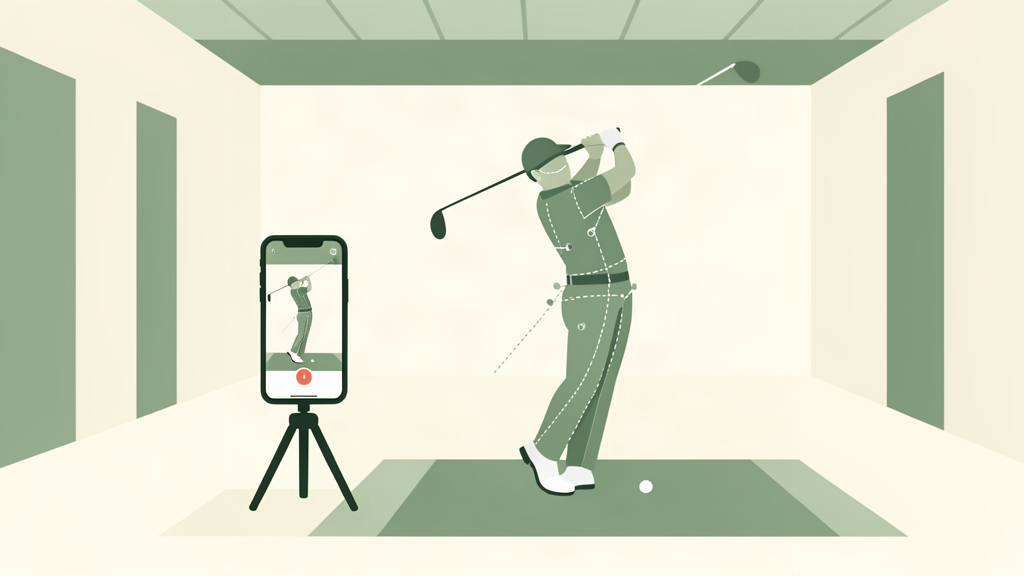
In 2020, you needed a $25,000 TrackMan to see your swing data. In 2026, you pull out your phone and an AI tells you exactly why you sliced it into the trees. That is the story of golf training: democratization through technology.
The problem is nobody has reviewed these apps honestly. The SERP is dominated by DeepSwing’s own blog ranking itself #1. YouTube has 847,000 views on AI swing app videos with no independent editorial answer. Golfers are asking “which app actually works?” and getting vendor marketing in response.
I have spent the past week testing seven AI swing analyzer apps that use only your phone camera. No hardware sensors. No $275 HackMotion. No $500 launch monitor. Just the camera you already own. The gap between what these apps claim to do and what they actually do is wider than a three-putt. (I laid out the full phone-app-versus-sensor decision, tier by tier, in my swing analyzer buying guide.)
This guide is about apps that analyze your swing using only your phone camera. If you want hardware sensors (HackMotion, Blast Motion, Arccos), see our hardware swing analyzer guide, or the beginner-friendly sensor picks if you are still breaking 100. These apps are software-only. If an app requires a physical sensor clipped to your club, it is out of scope.
How I Tested
I recorded the same three swings with every app: a straight 7-iron, a pull-hook driver, and a block-slice driver. I looked at whether each app correctly identified the miss, how fast it delivered results, and whether the feedback was actionable or just descriptive. The criteria that matter:
- What it actually detects versus what it guesses. Tracing a swing path on video is one thing. Telling you that your face is 4 degrees open at impact is another. Only one app here does the second one.
- Speed from recording to feedback. If you need to wait 30 seconds for analysis, you are not using it on the range.
- Price relative to what you get. A $30/month app that cannot tell you what is wrong is a video player with a subscription.
What to ignore: star ratings in the App Store. Most of these apps have 4.5+ stars because people rate them the day they download them, not after three months of actual use.
1. Sportsbox 3D Golf: Best Overall ($110/year)
Sportsbox is the only app on this list that does true 3D motion capture from a single phone camera. It measures pelvis rotation, spine tilt, wrist angles, and clubhead path in three dimensions. Bryson DeChambeau’s coach uses it. It is the closest thing to a $25,000 biomechanics lab you can get for $110 a year.
What works: Actually measures joint angles, not just traces a line over your video. The kinematic sequence graph shows whether your hips fire before your shoulders. It catches early extension better than any $275 hardware sensor I have used.
What does not: The learning curve is steep. You will spend your first 10 sessions learning how to set up the camera correctly. It also requires a tripod at hip height. The auto-capture struggles with ground-level phone placement. Not for casual range use. You need to set up deliberately.
Best for: The 8-18 handicap golfer who wants real biomechanical data and is willing to spend 5 minutes setting up before a range session.
2. DeepSwing: Best AI Coach ($60/year)
DeepSwing is the app that most feels like having an actual coach look at your swing. It auto-detects your swing, overlays plane lines, and gives you a plain-English diagnosis: “Your takeaway is too inside. Try feeling like your hands move straight back for the first 18 inches.”
What works: The AI feedback is conversational in a way that actually helps. It gives you one thing to fix per swing, not a laundry list. The auto-capture works reliably on a tripod or leaning against a bag. Video imports from other sources work well.
What does not: The AI is pattern-matching, not measuring. It can tell you your path looks inside but cannot give you the degree number. On complex faults it sometimes defaults to generic advice. The face-angle analysis is estimated from 2D video and is wrong often enough that you should not trust it for clubface diagnosis.
Best for: The 12-25 handicap golfer who wants coach-style feedback without paying $100 per lesson. Best for diagnosing major swing faults, not fine-tuning.
3. GolfFix: Best for Beginners ($100/year)
GolfFix has the most polished UX on this list. It draws a silhouette overlay around your body, scores your positions at key points in the swing, and gives you a posture score. With 6,300+ Google Play reviews at 4.8 stars, it has the largest user base.
What works: The silhouette overlay makes it dead obvious when your head moves or your spine angle collapses. Beginners see the fault immediately. The fix-it drill library is solid and specific.
What does not: The AI grades intermediate players too generously. I recorded a thin, pulled 7-iron that missed 30 yards left and GolfFix gave me an 87/100. The scoring algorithm overweights static positions and underweights dynamic faults. Several Reddit users report the app getting stuck at “preparing an analysis at 1%” with longer videos. Keep recordings to 3-4 swings max.
Best for: Beginners who need to see their body positions. Once you break 90 regularly, the app’s feedback ceiling becomes apparent.
4. V1 Golf: Best for Manual Analysis ($70/year)
V1 Golf is the industry standard for video swing analysis. Teaching pros have used it for years. It is not an AI app in the same way as DeepSwing or GolfFix. It is a manual video analysis tool with drawing, slow-motion, and side-by-side comparison features.
What works: The drawing tools are best-in-class. Drawing plane lines, measuring angles, and comparing your swing to a pro model side-by-side is intuitive. Unlimited cloud storage of swings means you can track progress over months. If you have an instructor who uses V1, they can send you annotated videos directly.
What does not: V1 Golf is a manual tool. It will not tell you what is wrong with your swing. You have to know what you are looking at. For $70 a year, you are buying a video player with measurement tools, not an AI coach. The older V1 Premium tier at $29.99/month ($360/year) is a terrible deal for the same manual annotation features. Stick with V1 GOLF+ at $70/year.
Best for: Golfers working with a remote instructor who uses V1, or experienced players who know how to self-diagnose from video.
5. Swing Profile: Best for Hands-Free Recording ($100/year)
Swing Profile’s killer feature is auto-capture. You set your phone on a tripod, step into frame, and it automatically detects your swing and records it. No running back to your phone between swings. The instant replay plays automatically after each shot.
What works: Auto-capture is genuinely useful on the range. The comparison overlay feature lets you superimpose two swings to spot differences. The coach collaboration tools (voice-over, cloud sharing) are solid if you work with a remote instructor.
What does not: The AI analysis is light. It will trace your swing plane and give you basic metrics but won’t diagnose faults the way DeepSwing or GolfFix do. The interface looks dated. It feels like an app from 2018 in 2026. Auto-capture occasionally misses swings in low light.
Best for: Range rats who want to record every swing without touching their phone and review later. Best paired with a coach who can do the actual analysis.
6. 18Birdies AI Coach: Best All-in-One ($100/year)
18Birdies is primarily a GPS and scoring app. The AI Coach feature is bolted onto that platform. Upload a swing video and you get AI feedback plus drill recommendations. Premium at $100/year also gives you GPS, scoring, handicap tracking, and social features.
What works: If you want one app for everything (GPS distances on the course, score tracking, and occasional swing analysis), this is the most efficient package. You are not paying for a separate swing analyzer. The AI feedback quality is comparable to GolfFix for major faults.
What does not: The swing analysis is secondary. It is not the app’s focus and it shows. Analysis takes 30-60 seconds per swing (the slowest on this list). The drills are generic. AI Coach charges per-swing: $14.99 for premium members or $19.99 for free users on top of the subscription. That pricing model makes it the most expensive option if you actually use the swing analysis regularly.
Best for: Golfers who already use 18Birdies for GPS and want swing analysis as an occasional add-on, not a primary tool.
7. Onform: Best for Coach Collaboration ($23/month)
Onform is a video analysis platform built for coaches and athletes. It has the most sophisticated collaboration tools on this list: 3D visuals, golf club tracking, and the ability for a coach to annotate and return a swing video in minutes. The Individual Premium plan at $22.99/month includes the full feature set.
What works: Coach collaboration is seamless. If you work with an instructor who uses Onform, it is the best remote coaching platform available. 3D data overlays are available on the Premium tier.
What does not: Onform is overkill for self-coached golfers. It has zero AI diagnosis. You or your coach must do all the analysis manually. At $276/year for Individual Premium, it costs more than Sportsbox (which gives you actual 3D data) and DeepSwing (which gives you AI coaching) combined. The value proposition collapses without an active coaching relationship.
Best for: Golfers in a formal remote coaching program. For self-coached golfers, skip it.
Quick Comparison
| App | Price (Annual) | AI Diagnosis | 3D Data | Auto-Capture | Best For |
|---|---|---|---|---|---|
| Sportsbox 3D Golf | $110/year | No | Yes | No | Data-driven players |
| DeepSwing | $60/year | Yes | No | Yes | AI coach replacement |
| GolfFix | $100/year | Yes | No | No | Beginners |
| V1 Golf+ | $70/year | No | No | No | Manual analysis |
| Swing Profile | $100/year | Light | No | Yes | Range recording |
| 18Birdies AI Coach | $100/year + per-swing | Yes | No | No | GPS + occasional analysis |
| Onform | $276/year | No | Yes (Premium) | No | Remote coaching |
What I Would Actually Buy
If you are a 12-25 handicap golfer who wants to know why you missed without paying for lessons: DeepSwing ($60/year). It is the best balance of AI coaching quality and price. The diagnosis is not perfect, but at $5/month it catches 80% of what a $100 lesson catches.
If you want real data and are willing to learn how to read it: Sportsbox 3D Golf ($110/year). It measures things no other phone app can. The learning curve is real, but the payoff is a biomechanics-level understanding of your swing.
If you want both, buy DeepSwing first. Use it for three months. When you have fixed your major faults and want to fine-tune, add Sportsbox.
Phone tripod ($20-$40 on Amazon) is non-negotiable for every app on this list. Leaning your phone against a range bucket produces unusable video. Buy the tripod first, then download the app.
Where to Try Them
Every app on this list has a free tier or trial. Do not pay for an annual subscription before testing the free version.
- DeepSwing: Free tier on iOS and Android, Pro $59.99/year
- V1 Golf+: Free tier, V1 GOLF+ $69.99/year
- GolfFix: Free tier on iOS and Android, Advanced $99.99/year
- Sportsbox 3D Golf: Free tier, Player $109.99/year
- 18Birdies AI Coach: Free tier (GPS + scoring), Premium $99.99/year
- Swing Profile: Free tier on iOS and Android, Elite $99.99/year
- Onform: Free trial, Individual Premium $22.99/month
These apps are not available with Amazon affiliate links. All links go directly to the app stores or official websites. A phone tripod or alignment stick mount ($20-$40) is the only hardware you need and those are available on Amazon.
Prices verified August 2026.